Clean, clear photos start with a spotless lens. This guide explains practical, device-friendly steps to remove dust, fingerprints, and smudges from smartphone camera lenses using common tools and proper technique. Following these methods helps preserve image quality and lens integrity over time.
The procedures below are designed for everyday use on typical smartphone lenses. They emphasize gentle handling, minimal moisture, and safe storage of cleaning materials to avoid scratches or moisture damage.
Quick Answer
Gently brush away loose debris, then apply a microfiber cloth or cleaning wipes to the lens with light, circular motions. For sticky smudges, use a lens cleaning pen with a soft brush or a tiny dab of microfiber cleaning cloth, and finish with an air blower to remove any remaining particles. Always avoid harsh liquids directly on the lens and never rub with abrasive materials.
What You’ll Need
- Phone camera lens cleaning kit microfiber cloth brush
- Lens cleaning pen for smartphone camera with brush
- Air blower for phone camera lens cleaning
- Microfiber lens cleaning wipes for smartphones
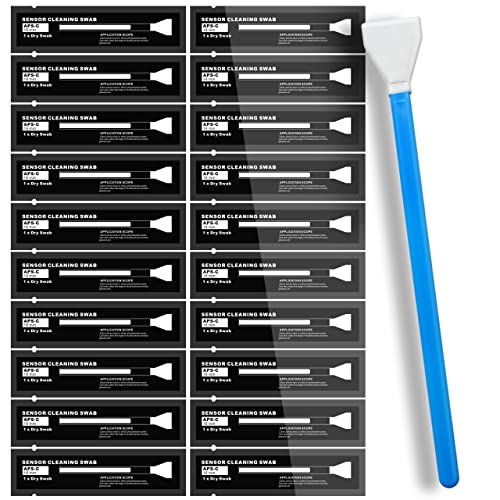
- Smartphone camera lens cleaning swabs


Before You Start
Prepare a clean, dry workspace and turn off the phone to prevent accidental taps. Work in a well-lit area to spot every smudge. If the phone is water-resistant, follow the manufacturer’s guidance on cleaning, and avoid liquids near the ports. Do not spray liquids directly onto the lens or use household cleaners, which can degrade coatings. Allow the lens area to dry completely before reusing the camera.
Step-By-Step: How To Clean Phone Camera Lenses
- Power down the phone and remove any case or accessory that could press on the lens area.
- Use a dry microfiber cloth to gently wipe the lens with a light circular motion to remove loose dust.
- If particles remain, tilt the phone slightly and use an air blower for phone camera lens cleaning to dislodge them—never touch the lens with fingers.
- Apply a small amount of cleaning material from a microfiber lens cleaning wipe or a lens cleaning pen for smartphone camera with brush to the edge of the cloth, not directly on the lens, then wipe in a gentle arc pattern.
- For stubborn smudges, use the brush end of the cleaning pen to loosen residue followed by a soft wipe with the microfiber cloth.
- Inspect under bright light and repeat with a clean portion of the cloth if needed. Finish with a final microfiber wipe to remove any streaks.
- If using cleaning swabs, use the edge-swab method: a single pass in one direction, then rotate the swab and repeat to avoid recontaminating the lens.
- Re-check the lens and camera module after reassembling the device case and resume use. Store cleaning tools in a soft pouch to prevent scratches.
Troubleshooting
| Symptom | Likely Cause | Fix | Prevention |
|---|---|---|---|
| Persistent fingerprint smear | Coated lens dirty or oily residue | Use microfiber lens cleaning wipes or a cleaning pen with gentle brushing | Clean after every few uses or when streaks appear |
| Dust specks after cleaning | Residual particles reintroduced during wiping | Re-blow with air blower, then wipe with fresh cloth | Work in a dust-free environment |
| Streaks or cloudy look | Moisture left on lens | Dry thoroughly with clean, dry cloth | Avoid excess moisture on cloths |
| Scratches visible | Rough material contacted lens | Stop using abrasive tools; switch to soft microfiber materials | Inspect tools before use |
Common Mistakes
- Using household cleaners or alcohol directly on the lens
- Wiping aggressively or with rough cloths
- Rubbing near the camera module instead of the lens surfaced area
- Failing to dry the lens fully after cleaning
Tips For Best Results
- Keep a dedicated travel kit with a microfiber cloth and a small brush for quick touch-ups.
- Clean your lens regularly to maintain optimal photo quality, especially after outdoor use.
- Store cloths and swabs clean and dry to prevent recontamination.
- Test lens clarity after each cleaning by taking a quick photo of a uniform surface and inspecting for blur or haze.
Call A Professional
Seek professional help if the lens shows scratches, peeling coatings, or moisture behind the lens—indicators that professional repair or replacement may be necessary. Stop cleaning attempts if you notice water intrusion or fogging that does not clear after drying.
FAQ
Can I clean both the front and rear lenses the same way?
Yes, but avoid applying excessive pressure and tailor the method to the aperture shape and coating of each lens.
Is it safe to use a lens cleaning pen on all smartphones?
Most cleaning pens are safe when used as directed, but avoid pressing the tip into the lens surface and keep away from sensor areas beyond the glass.
How often should I clean my phone camera lens?
Clean as needed—before important photos or videos, after exposure to dust or moisture, and at regular intervals to maintain clarity.
What should I do if I notice water behind the lens?
Turn off the phone, avoid charging, and contact a service professional promptly to prevent internal damage.
Buying Guide
When choosing a phone camera lens cleaning kit, consider size, convenience, and compatibility with your device. A compact kit with microfiber cloths, a soft brush, an air blower, and small wipes is usually sufficient for daily maintenance. Look for anti-static materials to minimize dust attraction and lint-free wipes to prevent streaks. For frequent travelers, choose a kit with a protective case or pouch and a compact cleaning pen for on-the-go touch-ups. Assess the kit’s compatibility with your phone’s camera lens coatings and ensure all included tools are designed for delicate glass surfaces. A dedicated cleaning swab set can be beneficial for hard-to-reach smartphone camera modules, but always use gentle strokes to preserve lens integrity.