Keeping a mirrorless camera sensor clean is essential for preserving image quality. A careful routine with purpose-built tools can remove dust and smudges without risking the sensor. This guide presents a practical, step-by-step method using common sensor cleaning supplies designed for mirrorless cameras.
Readers should follow safety cautions closely and avoid aggressive cleaning. When in doubt, consult the manufacturer’s guidelines for your model and consider professional service for stubborn contamination.
Quick Answer
Use a gentle cleaning sequence: power off the camera, use an air blower to remove loose dust, apply a validated sensor cleaning swab with alcohol-free cleaning solution, and finish with a soft anti-static brush if needed. Test by taking a blank, evenly lit shot and inspecting for remaining specs.
What You’ll Need
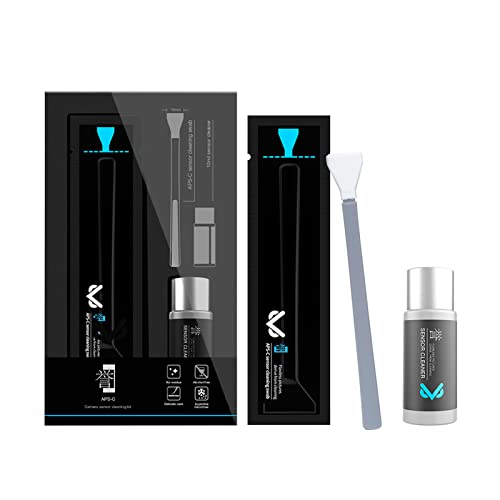
- Camera Sensor Cleaning Kit for Mirrorless Cameras with Non-Abrasive Swabs
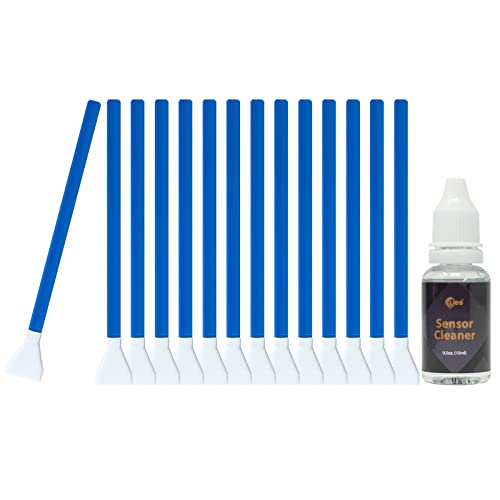
- Sensor Cleaning Swab Set for Mirrorless Cameras CMOS/CMOS Sensor
- Air Blower for Camera Sensor Cleaning
- Alcohol-free Cleaning Solution for Camera Sensor with Microfiber Cloth
- Anti-Static Sensor Cleaning Brush for Mirrorless Cameras

Before You Start
Clear a clean, well-lit workspace and power down the camera. Remove any lenses and accessories, and cover the lens mount to minimize debris exposure. Do not touch the sensor directly and avoid exchanging cleaning tools between different devices to prevent cross-contamination. Time estimate: 10–20 minutes for a routine cleaning; longer if stubborn dust is present.
Step-By-Step: How To Clean A Mirrorless Sensor
- Power off the camera and remove all lenses; set the body on a clean, soft surface.
- Use an air blower to dislodge loose dust from the sensor area. Hold the camera facing downward to reduce recontact risk.
- Inspect the sensor area with a bright light or magnifier to identify visible specks or smudges.
- Open the sensor cleaning kit and prepare a non-abrasive swab for a single pass per side, following the manufacturer’s instructions.
- Apply a small, even amount of alcohol-free cleaning solution to the swab. Do not saturate; the swab should be lightly damp, not dripping.
- Gently swipe the sensor with the dampened Swab in a single direction from one edge to the opposite edge. Use a light, steady pressure and avoid back-and-forth scrubbing.
- Allow a brief air-dry moment, then recheck the sensor with the light to confirm if any residue remains. If necessary, repeat with a fresh swab once more in the same direction.
- If stubborn particles persist, switch to an anti-static sensor cleaning brush and gently sweep from edge to center, using short, controlled strokes. Avoid direct contact with the glass area beyond the sensor.
Troubleshooting
| Symptom | Likely Cause | Fix | Prevention |
|---|---|---|---|
| Dust remains after cleaning | Residual dust embedded in coating | Repeat with fresh swab; consider professional cleaning | Clean in a dust-free environment; handle tools with care |
| Smudges appear after storage | Oils from fingers or improper handling | Re-clean using alcohol-free solution and fresh swabs | Store in clean case; avoid touching sensor area |
| Swabs leave fibers | Low-quality swabs; linting | Switch to high-purity non-abrasive swabs | Keep swabs sealed and dry until use |
| Liquid residue on sensor | Over-saturated swab | Let dry fully; re-clean with a drier swab | Use minimal solution on swabs |
Common Mistakes To Avoid
- Using household cleaners or alcohol on the sensor
- Applying excessive force or scrubbing in multiple directions
- Reusing dirty swabs or brushes on multiple devices
- Cleaning with the camera powered on or while attached to a lens
Tips For Best Results
- Work in a clean, dust-controlled area to reduce recontamination.
- Follow the swab manufacturer’s recommended usage directions to minimize residue.
- Test image quality after cleaning by shooting a flat, brick-wall pattern at a consistent distance.
- Keep spare swabs and brushes on hand for quick touch-ups between sessions.
Call A Professional
Consider professional service if:
- The dust or smudges persist after multiple cleanings.
- There are oil smudges or large debris near the sensor edge.
- Your camera shows sensor-related error messages or uneven exposure issues.
FAQ
Can I clean a mirrorless sensor while lens is attached?
Cleaning is safest with the lens removed to prevent contact with the sensor and to allow clear access.
What if I see water spots after cleaning?
Dry the area thoroughly with a dry swab and allow time to evaporate before testing images again.
Are there risks using an air blower?
Air blowers are generally safe if used correctly, but avoid forcing air at high pressure or from close distances.
How often should I clean the sensor?
Clean only when you observe dust in images or during routine maintenance, to minimize wear on the sensor coatings.
Buying Guide
When selecting sensor-cleaning supplies for mirrorless cameras, consider size compatibility with your sensor format, the cleanliness and softness of swabs, and compatibility with alcohol-free solutions. Noise, durability, and anti-static properties in brushes help reduce residual lint. Look for kits that clearly specify non-abrasive materials and explicit usage instructions. A reliable air blower is essential for initial dust removal, while an alcohol-free solution helps prevent streaks. Ensure tools are designed for mirrorless sensors and come with clear safety notes and replacement parts.
Buying Factors To Consider
- Size and compatibility: Confirm the kit supports your sensor size (APS-C, full-frame, etc.) and brand.
- Noise level and material quality of brushes to avoid lint or scratches.
- Energy efficiency is less relevant here, but choose reusable tools when possible to minimize waste.
- Control and method: Prefer kits with non-abrasive swabs and alcohol-free solutions.
- Ease of use: Clear instructions and safety notes reduce risk during cleaning.
- Placement and storage: Keep cleaning tools in a clean, dry case to prevent contamination.