Infotainment screens combine sensitive electronics with user-friendly displays, making proper cleaning essential to preserve clarity and longevity. This guide provides practical steps, safe products, and best practices tailored for American vehicles and consumer-grade cleaning kits.
Quick Answer
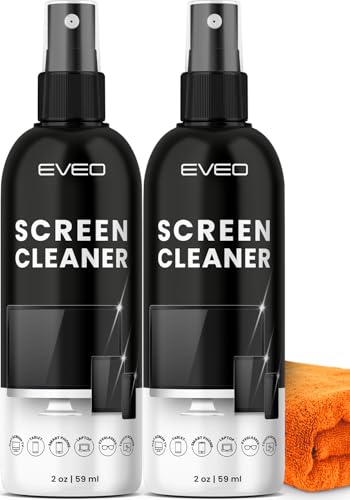
Use a soft, lint-free microfiber cloth dampened with a dedicated electronic screen cleaner or a gentle spray designed for LCD/OLED surfaces. Wipe carefully in circular motions, avoid excessive moisture, and never spray directly onto the screen. Always power off the vehicle before cleaning.
What You’ll Need
- car infotainment screen cleaning kit microfiber cloth spray bottle
- microfiber cloth for car touch screen LCD cleaning 12×12 inches
- electronic screen cleaner spray safe for LCD and OLED automotive
- anti-static screen cleaning wipes electronics automotive
- lint-free microfiber cleaning cloth for car infotainment display 6×8 inches


Before You Start
Power down the vehicle and unplug accessories if possible. Work in a shaded area to prevent rapid evaporation of cleaner. Avoid pressing hard on the screen to prevent pixel damage. Do not use ammonia-, alcohol-, or window cleaner-based products unless explicitly approved for LCD/OLED screens. Test cleaner on a small inconspicuous area first to ensure no streaking or residue appears.
Allow the screen and surrounding bezel to cool if the dashboard has been recently heated, and ensure moisture does not seep into seams or vents.
Step-By-Step: How To Clean An Infotainment Screen
- Power off the vehicle and disconnect the battery if required by the manufacturer or if safety concerns arise.
- Remove loose dust with a dry lint-free microfiber cloth to prevent scratching during cleaning.
- Apply a light mist of the electronic screen cleaner spray or use a dampened microfiber cloth; never spray directly onto the screen.
- Wipe the screen with gentle, circular motions from edge to edge, applying minimal pressure to avoid pressure marks.
- Pay attention to corners and bezels; use a dry part of the cloth to lift any remaining moisture or residue.
- For stubborn smudges, reapply a small amount of cleaner to the cloth and re-wipe in a controlled motion.
- Dry the surface thoroughly with a clean, dry microfiber cloth to prevent streaks and moisture buildup.
- Inspect the display in good lighting for uniform clarity; repeat if necessary with light pressure only.
- Store cleaning supplies away from direct sunlight and heat sources to maintain their effectiveness.
- Reconnect power and test the touchscreen response, ensuring no residue affects touch accuracy.
- Dispose of used wipes and store cloths in a clean, dry place to prevent contamination.
- Regular maintenance: clean monthly or as needed to prevent oil buildup from fingerprints.
Troubleshooting
| Symptom | Likely Cause | Fix | Prevention |
|---|---|---|---|
| Streaks after cleaning | Residue from cleaner or over-wetting | Use a dry microfiber cloth and minimal spray | Use dedicated screen cleaner designed for LCD/OLED |
| Touch response lag | Cleaner residue interfering with touch sensor | Wipe again with a dry cloth | Apply cleaning solution sparingly |
| Scratches observed | Rough cloth or abrasive compound | Switch to ultra-soft microfiber cloth | Avoid rough towels and implement gentle technique |
| Discoloration after cleaning | Incompatible cleaner | Test first; switch to electronics-safe cleaner | Use products labeled safe for LCD/OLED |
| Moisture in seams | Over-wetting | Dry thoroughly; stop spraying directly on screen | Wipe edges carefully and allow evaporation time |
Common Mistakes
- Spraying cleaner directly onto the screen or interior surfaces
- Using household glass cleaners or solvents not approved for electronics
- Applying excessive moisture or pressing hard on the display
- Neglecting to dry the surface completely, leading to streaks or fogging
- Using dirty or abrasive cloths that scratch the surface
Tips For Best Results
- Choose a cleaner labeled safe for LCD and OLED automotive screens
- Prefer lint-free microfiber cloths in multiple sizes to reach corners
- Work in a well-lit area to spot streaks early
- Use a two-cloth method: one damp for cleaning, one dry for drying
- Keep wipes sealed to prevent drying out and maintain effectiveness
Call A Professional
Consult a professional if the infotainment system shows persistent discoloration, coating failure, or screen damage after cleaning. If the display becomes unresponsive, or you suspect moisture intrusion behind the screen, stop using the device and seek service from an automotive electronics technician.
FAQ
Can I use water alone to clean the screen?
Water alone is insufficient for removing oils; use a dedicated electronics-safe cleaner or a dampened microfiber cloth designed for LCD/OLED screens.
Is it safe to wipe the screen while the car is on?
Cleaning should be performed with the vehicle powered off to avoid electrical issues and accidental inputs.
What type of microfiber cloth is best for infotainment displays?
Use lint-free microfiber cloths in sizes like 6×8 inches or 12×12 inches for flexibility and minimal residue.
How often should I clean my infotainment screen?
Frequency depends on usage, but a light wipe every few weeks helps maintain clarity and reduces fingerprint buildup.
Buying Guide
When selecting products for cleaning an infotainment screen, consider size, ease of use, and compatibility with automotive displays. A compact cleaning kit with tablet-sized microfiber cloths and a spray bottle can be convenient for in-dash screens. Look for:
- Size and coverage: 6×8 inch or 12×12 inch cloths fit typical dashboards and screen sizes.
- Noise level: Cleaning products are silent; choose wipes or bottles that minimize streaks and require minimal rubbing.
- Energy efficiency: Not directly applicable to cleaning supplies, but choose products that require less cleaning effort and fewer passes.
- Controls and usability: Spray bottles with a fine mist or pre-moistened wipes offer controlled application.
- Placement: Store in a designated dash compartment or center console to prevent loss and keep within reach.
In practice, a kit featuring a dedicated electronic screen cleaner spray, a couple of lint-free microfiber cloths in different sizes, and anti-static wipes provides comprehensive coverage for most vehicles. For top results, pair the kit with a gentle, automotive-safe cleaner and follow the step-by-step method above. If ever in doubt, consult your vehicle manufacturer’s cleaning recommendations to ensure compatibility with the screen coating and touchscreen sensors.