Keeping Galaxy Buds clean helps maintain sound quality, comfort, and longevity. This guide provides a practical, step-by-step approach using common tools and gentle methods suitable for most Galaxy Buds models. The focus is on removing earwax, dust, and oils without damaging sensitive electronics.
Readers will find a clear checklist, safety reminders, and troubleshooting tips to address common issues such as sticky rims or lint buildup. The methods emphasize minimal moisture and avoidance of harsh chemicals, ensuring safe maintenance through routine care.
Quick Answer
To clean Galaxy Buds, power them off, remove any removable tips if applicable, and use a soft brush or microfiber cloth to wipe surfaces. Lightly apply isopropyl alcohol on a microfiber cloth for stubborn spots, then dry completely. Use compressed air cautiously to reach tiny gaps and finish with a soft brush to remove debris. Do not submerge the buds in liquid.
What You’ll Need
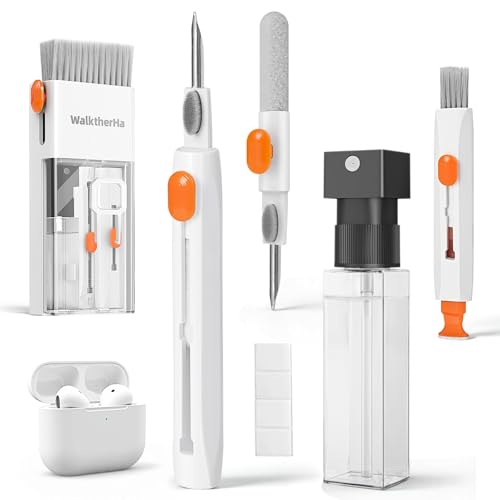
- Galaxy Buds cleaning kit soft brush microfiber cloth
- soft bristle earbud cleaning brush for wireless earbuds
- ultrasonic cleaner small electronics earbuds
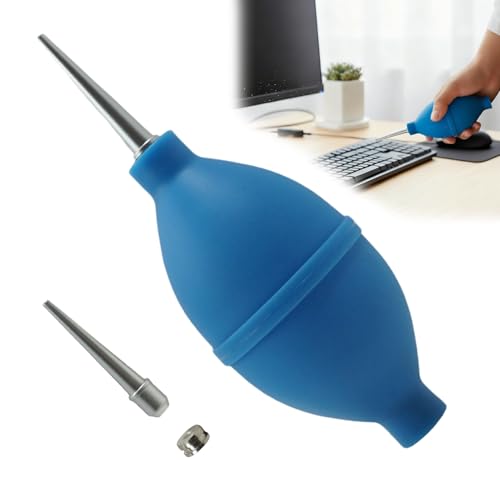
- compressed air for cleaning earbuds
- isopropyl alcohol prep pads electronics 70%

Before You Start
Prepare a clean, dry workspace and ensure the Galaxy Buds are powered off and disconnected from any device. Remove the charging case lid but keep it nearby. Avoid letting moisture seep into charging contacts or seams. If tips are removable, detach them and clean separately. Time estimate: 5–15 minutes per session depending on buildup. Important safety note: do not use water directly on the electronics, and never use a heat source to dry components, as heat can damage components.
Step-By-Step: How To Clean Galaxy Buds
- Power off the earbuds and disconnect from all devices to prevent accidental input during cleaning.
- Remove any silicone tips or attachments if your model uses them, and set them aside for separate cleaning.
- Use a soft bristle earbud cleaning brush to loosen debris around the mesh or grill of each earbud.
- Wipe the exterior surfaces with a microfiber cloth lightly dampened with isopropyl alcohol 70%, avoiding the mesh and openings.
- For stubborn spots on the mesh, gently brush with the soft brush again, then wipe with a dry area of the microfiber cloth.
- Use a can of compressed air to dislodge debris in hard-to-reach gaps, holding the can at a safe distance and keeping it upright.
- Wipe the charging contacts and the outer shell with a clean microfiber cloth to ensure no residue remains.
- Clean the removable tips or ear tips separately with warm water and a mild soap if appropriate for your model, then dry thoroughly before reattaching.
- Place the buds in a dry, ventilated area to air dry completely before reassembling and reconnecting to devices.
- If using an ultrasonic cleaner, follow manufacturer instructions and avoid submerging sensitive parts; run a brief cycle if recommended and dry fully before use.
- Reattach tips if applicable and conduct a quick test to confirm sound quality and fit after cleaning.
- Store in a clean, dry charging case when not in use to minimize future buildup.
Troubleshooting
| Symptom | Likely Cause | Fix | Prevention |
|---|---|---|---|
| Buzzing or muffled sound after cleaning | Debris near speaker mesh | Reinspect with brush, re-clean mesh gently | Regular light cleaning to prevent buildup |
| Persistent moisture on surfaces | Over-wetting during cleaning | Use minimal moisture with microfiber cloth | Avoid direct liquid contact; air-dry thoroughly |
| Loose tips or tips don’t seal | Tip damage or improper reattachment | Replace tips or reseat firmly | Handle tips gently during removal and reattachment |
| Charging case not recognizing buds | Moisture or residue on contacts | Clean contacts with dry microfiber; reseat buds | Keep case dry; don’t expose to moisture |
Common Mistakes
- Using excessive liquid or soaking the buds, which can damage electronics.
- Directly spraying cleaning solutions into ports or mesh openings.
- Rubbing hard on delicate mesh, which can tear or deform components.
- Ignoring drying time, leading to moisture retention inside the charging contacts.
Tips For Best Results
- Clean on a regular schedule to prevent buildup rather than dealing with heavy grime.
- Use a dedicated soft brush for delicate areas to avoid scratching.
- Always dry completely before reinsertion to avoid corrosion or short circuits.
- Keep a small cleaning kit in your bag or case for quick touch-ups.
Call A Professional
Stop and seek professional help if the buds exhibit persistent blurry audio, severe water exposure, or if cleaning fails to restore performance. Immediate professional service is advised for suspected water damage, cracked housing, or charging issues that persist after cleaning.
FAQ
How often should I clean Galaxy Buds?
Clean them as needed based on usage, typically every 1–2 weeks with regular wear, or more frequently if you notice wax buildup or reduced sound quality.
Can I use soap on Galaxy Buds?
Avoid regular soap on the electronics; use only mild cleaners and isopropyl alcohol on non-porous surfaces with care.
Is it safe to use an ultrasonic cleaner?
Yes, if the device model supports ultrasonic cleaning and you follow the cleaner’s instructions; do not submerge parts not designed for immersion.
What should I do if my buds stop charging after cleaning?
Dry the buds and contacts completely, inspect for corrosion, and consider using a different charging cable or case. If issues persist, contact support.
Buying Guide
When choosing cleaning tools for Galaxy Buds, consider factors such as the size of the earbud and mesh areas, the type of materials (soft bristle vs. microfiber), and compatibility with electronics. Look for a compact cleaning kit that includes a soft brush, microfiber cloth, compressed air, and alcohol prep pads. For ultrasonic cleaning, verify that the device is safe for small electronics and designed for delicate components. The right kit should provide precise control to reach tight gaps without forcing moisture into seams.
Key buying factors include size and portability, noise level and ease of use, energy efficiency of any powered tools, control options (manual brush vs. powered cleaner), and placement considerations for storing tools. Compare kits that offer a comprehensive set versus those offering individual items, and weigh price against long-term maintenance benefits. A well-rounded kit helps extend the life of Galaxy Buds by enabling routine cleaning without risk of damage.