The build plate is a critical surface for successful 3D prints. Proper cleaning removes excess resin or filament residue, improves adhesion, and extends the life of the bed. This guide provides practical, field-tested steps for American users, using common tools and safe cleaners to keep your build plate in top condition.
Quick Answer
For most materials, wipe the build plate with isopropyl alcohol (preferably 99%), use a plastic scraper to gently remove debris, then dry with a microfiber cloth. For resin beds, follow a dedicated cleaning routine with a build plate cleaning kit and a spray cleaner designed for PEI or resin plates. Always finish with a light, even wipe to prep for the next print.
What You’ll Need
- 3D printer build plate scraper plastic
- isopropyl alcohol 99% for 3D printer bed cleaning
- microfiber cleaning cloth for 3D printer bed
- build plate cleaning kit for resin printer
- PEI build plate cleaner spray 3D printer
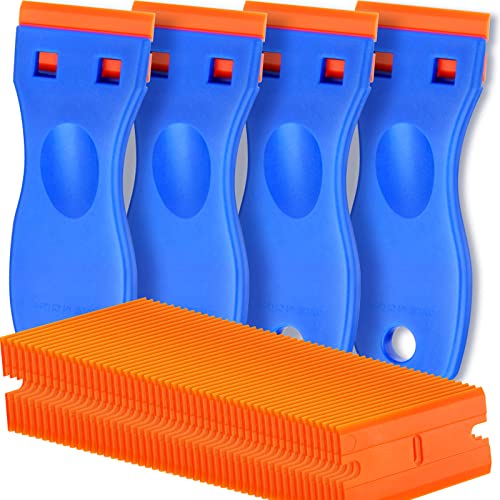


Before You Start
Turn off and unplug the printer. If the bed is hot, wait for it to cool to a safe handling temperature. Work in a well-ventilated area and avoid splashing cleaners on electronics. For resin beds, avoid acetone or harsh solvents that can damage coatings. Estimate 10–20 minutes for the entire cleaning cycle, depending on residue levels. Important: never use metal scrapers on PEI surfaces to prevent gouging; stick to plastic scrapers and soft cloths.
Step-By-Step: How To Clean A Build Plate
- Power down the printer and unplug it; let the bed cool if it has been in use.
- Remove the print from the bed, then detach any removable build plate panels if applicable.
- Gently scrape away any adhered filament or resin using a plastic scraper held at a shallow angle to avoid scratching.
- Wipe the surface with a microfiber cloth lightly dampened with isopropyl alcohol 99% to dissolve residues.
- For stubborn spots, apply a small amount of PEI build plate cleaner spray or resin-friendly cleaner and let it sit briefly before wiping.
- Wipe again with a clean, dry microfiber cloth to remove moisture and residue.
- Inspect the surface under good lighting; if needed, repeat the alcohol wipe for an even finish.
- Reinstall the build plate back onto the printer and return to printing temperature settings as required by your material.
- Test a small calibration print to confirm adhesion and leveling are still correct.
- Store any cleaning tools in a dedicated kit or bag to prevent cross-contamination between resin and filament workflows.
- Record any notable observations in a maintenance log to track when deeper cleanings may be needed.
- For frequent use, schedule a routine cleaning every few prints or after switching resin types to maintain consistency.
Troubleshooting
| Symptom | Likely Cause | Fix | Prevention |
|---|---|---|---|
| Adhesion issues after cleaning | Residual film or waxy coating | Re-clean with isopropyl alcohol and a microfiber cloth | Regular, thorough cleanings; avoid touching the surface with bare hands |
| Cloudy or streaky surface | Dirty cloth or improper drying | Use fresh microfiber cloths and ensure the surface is completely dry | Keep cleaning area dust-free and store cloths clean |
| Scratches on PEI bed | Metal scraper or aggressive scrubbing | Switch to plastic scrapers and gentle pressure | Routine care with proper tools |
| Sticky bed after cleaning | Solvent residue or insufficient drying | Rinse with clean IPA and dry thoroughly | Allow adequate air drying before reprinting |
Common Mistakes
- Using harsh solvents like acetone on PEI or coated beds
- Scraping with metal tools or aggressive angles
- Skipping drying after cleaning, leaving moisture on the surface
- Touching the bed with bare hands, transferring oils
These missteps can affect adhesion and damage the build plate surface over time. Consistent, gentle cleaning prevents long-term wear and keeps prints reliable.
Tips For Best Results
- Designate a dedicated cleaning area to avoid cross-contamination between resin and filament workflows.
- Use 99% isopropyl alcohol for faster evaporation and more effective residue removal.
- Keep a stock of microfiber cloths and plastic scrapers sized for your bed surface.
- Lightly mist cleaners rather than soaking the surface to prevent liquid seeping into seams or electronics.
- Calibrate the bed after any cleaning session to confirm proper leveling and adhesion readiness.
Call A Professional
Consider professional support if the build plate shows deep scratches, coating delamination, or persistent adhesion trouble after multiple cleanings. Stop using the printer if you notice bubbling coatings, cracks, or abnormal warping, and contact a service technician or the manufacturer’s support line.
FAQ
What is the safest cleaner for PEI build plates?
Isopropyl alcohol (99%) is widely recommended for PEI surfaces when used with a soft microfiber cloth.
Can I use a resin cleaning kit on a filament bed?
Yes, but ensure the kit is suitable for the specific bed coating and follow all manufacturer guidelines to avoid damage.
How often should I clean the build plate?
Clean after every print session, or at least every few prints if using resin; more frequent cleaning improves consistency.
What should I do if the bed is noticeably scratched?
Lightly consult the manufacturer for guidance; minor scratches may not affect prints, but deep gouges require replacement or professional assessment.
Is it safe to use spray cleaners on the bed?
Only use spray cleaners designed for 3D printer beds and avoid saturating the surface; follow product instructions carefully.
Should I reapply adhesive after cleaning?
Reapply only if the manufacturer recommends, and ensure the bed is fully dry before reprinting.
Can I use detergents on the bed?
Avoid household detergents which may leave residues that hinder adhesion or damage coatings.
Buying Guide
When choosing cleaning tools and cleaners for a 3D printer build plate, consider several factors to maximize performance and longevity.
- Size and compatibility: Ensure the cleaner materials fit your bed size (petri-dish style or sheeted beds) and are compatible with resin or filament setups.
- Noise level and ease of use: Simple spray bottles, microfiber cloths, and plastic scrapers reduce friction and noise during routine maintenance.
- Energy efficiency: Cleaning tools do not consume energy, but choosing long-lasting cloths and durable scrapers minimizes replacement frequency and waste.
- Controls: Straightforward products with clear instructions help standardize maintenance across multiple printers.
- Placement: A dedicated, clean workspace with storage for cleaners and cloths keeps contaminants away from the printer.
For resin printers, a dedicated build plate cleaning kit and a PEI-safe cleaner spray can simplify maintenance and reduce risk. For filament-based builds, maintain regular IPA cleaning routines to keep the bed surface clear and ready for the next print. Regular care yields better adhesion, smoother starts, and fewer failed prints.