Keeping a smartphone screen clean helps preserve visibility, touch responsiveness, and hygiene. This guide explains practical, safe methods for everyday cleaning that work with commonly used products in American households and offices.
By following step-by-step instructions and using consumer-tested cleaning tools, users can remove fingerprints, smudges, and dust without risking damage to coatings or sensors.
Quick Answer
Gently wipe the screen with a microfiber cloth for smartphones after lightly dampening the cloth with a dedicated screen spray or a kit that includes a microfiber cloth. For stubborn spots, use isopropyl alcohol wipes at 70% on a very small area and immediately dry with a clean microfiber cloth. Avoid soaking the device and never spray liquid directly onto the screen.
What You’ll Need
- Microfiber screen cleaning cloth for smartphones
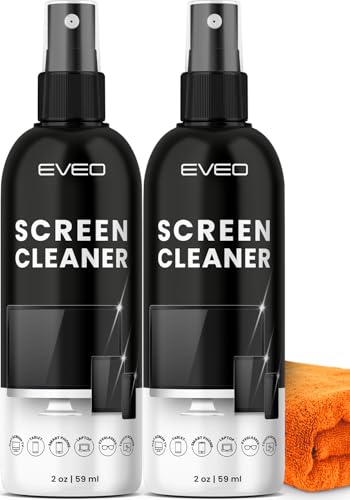
- Phone screen cleaning spray and microfiber cloth kit
- Isopropyl alcohol wipes for smartphone screens 70%
- Screen cleaning kit for smartphones with microfiber towel
- Lint-free screen cleaning wipes for phones


Before You Start
Prepare a clean, flat workspace and power down the phone to avoid accidental inputs during cleaning. Use distilled water or products labeled safe for electronics, and avoid household cleaners containing ammonia or vinegar that can damage coatings. Test any cleaner on a small, inconspicuous area first. Protect the camera lens and speaker grilles by avoiding direct spray and using light, controlled motions. Allow the screen to dry completely before reopening apps or enabling features. Typical cleaning time ranges from a few seconds for light smudges to a minute for tougher residues.
Step-By-Step: How To Clean A Phone Screen
- Turn off the phone and unplug any accessories to minimize the risk of short circuits.
- Remove any case or screen protector only if it is easy to do without forcing the device.
- Use a dry microfiber screen cleaning cloth to remove loose dust with gentle, circular motions.
- If smudges remain, lightly dampen the microfiber cloth with a screen cleaning spray or a dedicated kit spray. Do not spray directly on the screen.
- Gently wipe the screen in straight, even strokes, covering the entire surface. Focus on corners and edges where oils collect.
- For stubborn spots, use a 70% isopropyl alcohol wipe on a small area only, then immediately buff with a dry microfiber cloth.
- Dry the screen completely with a clean portion of the microfiber cloth to prevent streaks.
- Reattach the case and, if applicable, reinstall a screen protector only after the screen is fully dry.
- Store cleaning supplies in a cool, dry place away from direct sunlight to maintain their effectiveness.
- Record a routine clean: at least once a week for high-touch devices, more often in dusty or oily environments.
- Note any coating sensitivity or device warnings in the user manual and follow manufacturer recommendations.
Troubleshooting
| Symptom | Likely Cause | Fix | Prevention |
|---|---|---|---|
| Streaks or residue after cleaning | Excess cleaner or improper wiping | Buff with a dry microfiber cloth until clear | Use minimal cleaner; wipe in one direction |
| Faint film after drying | Over-wetting cloth | Re-wipe with a dry section of cloth | Always use a slightly damp, not soaking-wet, cloth |
| Scratches visible after cleaning | Abrasive particles trapped in cloth | Switch to fresh microfiber and clean with light pressure | Keep cloth free of debris; wash cloth regularly |
| Screen responsiveness slows temporarily | Lubricants or residue near sensors | Clean screen thoroughly, dry completely | Avoid liquid sprays near edges |
Common Mistakes
- Spraying liquids directly onto the screen, which can seep into openings
- Using household cleaners or solvents not labeled for electronics
- Rubbing aggressively, which can wear coatings over time
- Reusing dirty or wrung-out cloths that re-deposit grime
- Cleaning screens while the device is powered on or connected to power
Tips For Best Results
- Always use a clean, lint-free microfiber cloth designed for screens.
- Keep cleaning sprays separate from other electronics to prevent cross-contamination.
- Consider a dedicated screen-cleaning kit that includes both microfiber towels and appropriate sprays.
- For sensitive coatings, test a small area before full cleaning and follow manufacturer guidance.
- Establish a routine that reduces buildup, such as weekly light wipes in low-traffic areas.
Call A Professional
Seek professional help if the screen shows persistent discoloration, cracks, deep scratches, or malfunctioning touch input that cannot be resolved with standard cleaning. Stop cleaning and consult a service technician if there is visible liquid ingress, a swollen battery, or signs of moisture inside the device.
FAQ
Can I use water to clean my phone screen?
Water can work in very small amounts, but it’s safer to use distilled water or a product designed for electronics to avoid mineral residues or streaks.
Is 70% isopropyl alcohol safe for screens?
Yes, when used sparingly on a small area and followed by immediate drying with a microfiber cloth.
How often should I clean my phone screen?
Light daily use can be cleaned weekly; high-touch or dirty environments may require more frequent cleaning.
Should I remove the screen protector before cleaning?
Only if removal is easy and does not risk damaging the screen; otherwise clean around the edges and protect the protector.
What should I avoid on screens with coatings?
Avoid abrasive cloths, ammonia-based cleaners, and direct sprays that can degrade coatings over time.
Can I reuse wipes or cloths?
Reuse only if they remain clean and lint-free; otherwise switch to fresh wipes to prevent re-depositing dust.
Buying Guide
When choosing products for cleaning a phone screen, consider several factors that influence results and ease of use.
- Size and portability: Look for compact, travel-friendly kits with a soft microfiber cloth and a spray designed for electronics.
- Noise level: Cleaning products are silent; focus on material quality and residue-free performance rather than mechanical noise.
- Energy efficiency: Not applicable to cleaning products, but consider shelf life and storage requirements to minimize waste.
- Controls: Simple spray-and-wipe operations are preferred; avoid complex devices that require batteries unless necessary for specialized screens.
- Placement: Store cleaning kits with other phone accessories in a dry, cool cabinet or desk drawer to prevent exposure to sunlight and heat.
Consider a bundle that includes a microfiber towel, lint-free wipes, and a gentle spray designed for screens to streamline routine cleaning. If you already own a kit, verify that its cleaning solution is compatible with your phone’s coatings and that the cloth remains lint-free after multiple uses. Curious about which combination best fits daily life? A focused kit often provides the most reliable, safe results for most smartphones.