Dry erase markers are convenient, but stubborn stains can linger on whiteboards. This guide provides practical, step-by-step methods using common products to restore a clean, projection-ready surface. The techniques are designed for American users and emphasize safety and effectiveness.
By following these steps, you’ll reduce ghosting, improve erasability, and extend the life of your whiteboard. The methods work on various whiteboards, including magnetic surfaces, and rely on accessible cleaning tools.
Quick Answer
Best quick method: spray a dedicated whiteboard cleaner, wipe with a microfiber cloth, and, if needed, finish with isopropyl alcohol for stubborn marks. For persistent stains, use a dry erase marker stain remover pad following the product directions.
What You’ll Need
- Whiteboard cleaner spray 16 oz alcohol-based
- Microfiber whiteboard cleaning cloth
- Isopropyl alcohol 70% bottle for whiteboard stains
- Dry erase marker stain remover pad
- Magnetic whiteboard eraser with refill pads
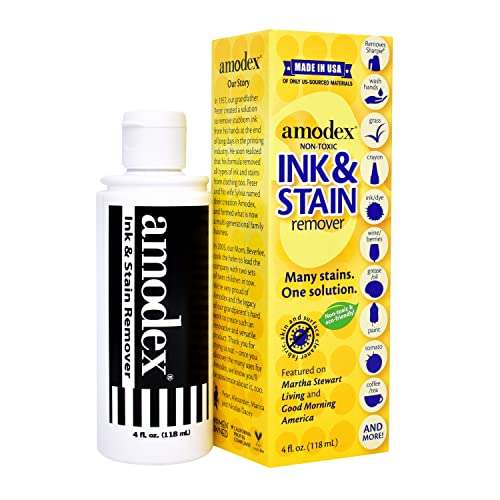


Before You Start
Prepare a dry, well-ventilated area and a soft, lint-free surface for work. Test any cleaner on a small, inconspicuous area first to ensure it does not smear or dull the surface. Avoid abrasive scrubbers that can scratch the board. Always follow label directions for any product used and keep cleaners away from children and pets.
Step-By-Step: How To Remove Dry Erase Marker Stains
- Apply a small amount of whiteboard cleaner spray to the stained area and let it sit for 15–30 seconds to loosen the dye.
- Wipe with a microfiber whiteboard cleaning cloth using smooth, circular motions. Use a clean section of the cloth as it becomes stained.
- If ghosting remains, spray again and press with the cloth to lift the residue without applying excessive pressure.
- For stubborn marks, dampen a cloth with isopropyl alcohol 70% and gently wipe the stain, avoiding harsh scrubbing.
- Allow the board to air dry for a minute, then test a dry erase marker to verify erasability.
- If lines still persist, use a dry erase marker stain remover pad and follow the pad’s instructions to lift the remaining residue.
- Wipe again with the microfiber cloth to remove any pad residue, then dry the area thoroughly.
- For large boards, clean small sections at a time to ensure a consistent clean appearance across the surface.
- Once clean, perform a light full-board wipe with your cleaner to maintain shine and prevent future ghosting.
- Regular maintenance: wipe weekly with the cleaner and give extra attention to high-usage zones to prevent buildup.
- Store cleaning supplies out of direct sunlight and sealed when not in use to preserve effectiveness.
Troubleshooting
| Symptom | Likely Cause | Fix | Prevention |
|---|---|---|---|
| Persistent ghosting after cleaning | Oil-based residue or deep staining | Repeat cleaner wipe, then use isopropyl alcohol | Clean regularly to prevent buildup |
| Whiteboard surface dull or scratched | Abrasive scrubber or harsh chemicals | Switch to microfiber cloth and non-abrasive cleaners | Avoid rough pads and sharp objects |
| Color smearing when writing | Residual cleaner or moisture | Dry the surface completely before writing | Wipe in a dry state after cleaning |
| Marker ink won’t erase | Stubborn stain or permanent marker mix | Use stain remover pad or isopropyl alcohol | Test cleaners on a hidden area first |
Common Mistakes
- Using abrasive pads or household cleaners not suited for whiteboards
- Over-wetting the surface, leaving moisture behind
- Rubbing aggressively, which can dull the finish
- Neglecting to test cleaners on a small area first
Tips For Best Results
- Use microfiber cloths designed for delicate surfaces to avoid scratches
- Maintain a regular cleaning routine to minimize stubborn stains
- Label storage for cleaners and keep them away from heat sources
- For magnetic boards, wipe the eraser area to prevent ink transfer to magnets
- Rotate cleaning tools to prevent cross-contamination between dirty and clean areas
Call A Professional
Consider professional help if the board shows deep etching, permanent staining, or persistent performance issues after repeated cleaning. Seek assistance if the surface has peeling coatings, unusual odors from cleaners, or if the board operates unusually poorly with standard markers.
FAQ
Can I use regular household cleaners on a whiteboard?
It is best to use products labeled for whiteboards to avoid damage or ghosting.
How often should I clean a whiteboard?
Clean weekly or as needed to prevent ghosting and maintain erasability.
Is isopropyl alcohol safe for whiteboards?
Yes, 70% isopropyl alcohol is commonly used to remove stubborn marks.
What if the stains do not come out?
Try a dedicated stain remover pad or follow up with isopropyl alcohol, then re-clean with a microfiber cloth.
Buying Guide
When choosing cleaning supplies for a whiteboard, consider size, compatibility with the board’s finish, and ease of use. The right kit balances effectiveness with safety and cost. Here are key factors to compare:
- Size and coverage: For large boards, select a spray bottle with ample volume and a microfiber cloth suitable for broad strokes.
- Noise level: Cleaning products do not produce noise, but choosing a quiet workflow matters for shared spaces.
- Energy efficiency: Not applicable to cleaning products; focus on reusable tools and concentrated formulas to reduce waste.
- Controls: Simple spray-and-wipe application minimizes user error.
- Placement: Store cleaners away from heat sources and out of reach of children; keep a dedicated cleaning kit near the whiteboard for quick access.
Would you like a quick-start kit tailored to your board size and usage? A few strategic choices can streamline maintenance and keep your whiteboard looking pristine.